
An engaging learning experience
Minecraft Education Edition is a version of the popular learning-based sandbox game to help students learn creatively. With this Minecraft download, teachers and educators can promote problem-solving, collaboration, and creativity through an engaging digital environment.
Top Recommended Alternative

Compared to other Minecraft releases, this educational version comes with plenty of innovative features for classroom use. Most of these features help teachers with documentation work while fostering a safe environment for students to learn. When you download Minecraft Education Edition, it offers support for community forums, lesson plans, and even a My Classroom feature.
What is the difference between Minecraft: Education Edition and normal Minecraft?
Developed by Mojang, Minecraft Education Edition is an open-world learning platform based on the sandbox gaming dynamics of the Minecraft franchise. This version of Minecraft download allows educators to create an innovative, fun, engaging, and immersive digital environment, where students can learn problem-solving, collaboration, and creativity. This version of the popular sandbox game aims to help educators create a learning-based digital environment to keep students engaged.
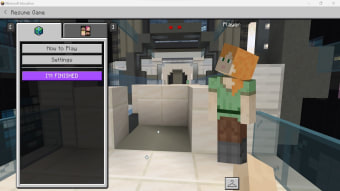
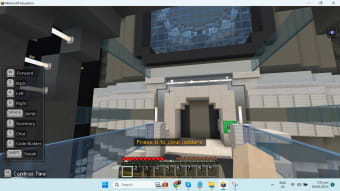
While both versions feature sandbox gameplay in a 3D voxel world, Minecraft: Education Edition includes additional features designed for educational purposes. These features include border blocks to prevent players from crossing marked locations and allow and deny blocks that enable teachers to grant permissions for certain actions. The edition also offers camera and portfolio features for participants to capture shots of the environment and their virtual avatars, as well as customizable chalkboards for writing messages.
Does it help with learning?
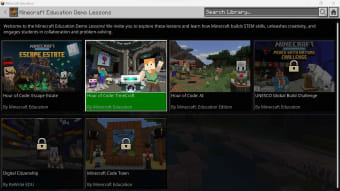
Minecraft: Education Edition focuses on different aspects of learning. With this app, you can teach students the basics of coding with ‘Hour of Code lessons. This feature is available as a free demo and touches upon the basics of AI. The program comes with an ‘Hour of Code’ toolkit to meet classroom learning objectives via lesson plans, video tours, and comprehensive FAQs. These tools can help educators and teachers successfully conduct coding lessons in school.
Recent updates have greatly increased its functionality and learning potential. The GOAT Update introduced broader multiplayer support for up to 40 players, improved structure blocks for saving and reusing creations, and new Friend Skin options for inclusivity and character personalization. These quality-of-life and collaboration-focused improvements make it easier for teachers and students to create, share, and manage projects at scale. However, it has a steeper learning curve for teachers, and updates lag behind other Minecraft versions.
Learning through play and creation
Minecraft: Education Edition transforms a beloved sandbox into a powerful classroom tool, blending creativity with structured learning. Its education-focused features, coding lessons, and collaboration tools make it highly effective for teaching problem-solving, teamwork, and digital literacy. While it asks more from educators in terms of setup and learning curve, the depth of engagement it offers students makes it a worthwhile investment for modern classrooms.

.png)